





















How JVM Works Internally? Bytecode, Memory & GC
Learn how the JVM works internally, including bytecode execution, memory management, JIT compilation, and garbage collection in Java with simple real-world examples.


How JVM Works Internally: A Simple Guide to Bytecode, Memory, and Garbage Collection
If you want to understand what actually happens when a Java program starts, runs, allocates memory, and gets cleaned up, this guide is for you. In 2026, JVM knowledge matters even more because Java workloads are still everywhere in backend systems, cloud services, and high-scale applications, and performance tuning is a real business need for teams like Neody IT.
Overview of the Topic
The JVM, or Java Virtual Machine, is the runtime engine that executes Java bytecode and makes Java applications portable across platforms. People search for this topic because they want to understand the difference between JDK, JRE, and JVM, how bytecode is executed, why garbage collection pauses happen, and how memory is managed inside Java applications.
Key Features or Core Concept
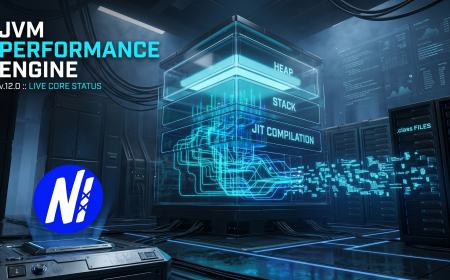
The JVM does several important jobs behind the scenes: it loads classes, verifies bytecode, manages runtime memory, executes code through interpretation and JIT compilation, and reclaims unused memory with garbage collection. The JDK is the full development kit, the JRE is the runtime package, and the JVM is the engine that actually runs the bytecode.
A useful way to think about it is this: the JDK is the workshop, the JRE is the ready-to-use machine setup, and the JVM is the engine doing the real work. That simple mental model helps beginners avoid one of the most common confusions in Java.
Real World Example
Suppose a Spring Boot application starts slowly in production. The JVM first loads classes, then warms up hot methods through JIT compilation, and later garbage collection may affect response times if object creation is heavy. That is why a developer at Neody IT would care about JVM internals before blaming the framework itself.
Benefits and Advantages
Understanding JVM internals helps you debug memory leaks, reduce long GC pauses, and improve application throughput in real systems. It also helps teams choose better JVM flags, monitor logs more intelligently, and make safer deployment decisions in containerized environments.
For businesses, this knowledge can translate into lower infrastructure costs, fewer downtime incidents, and more predictable application behavior under load. For developers, it means fewer “mystery bugs” and a much stronger grasp of why the same Java code can perform differently in different environments.
Example Use Cases
-
Tuning a Java API to reduce latency during peak traffic.
-
Finding a memory leak caused by object retention or class loader misuse.
-
Comparing G1 GC and ZGC for a service that needs stable response times.
-
Diagnosing why a Java app behaves differently in Docker than on a local machine.
Challenges or Limitations
The JVM is powerful, but it is not magic. It can hide problems for a while with automatic memory management, yet those same problems can become harder to diagnose when the heap fills up or garbage collection becomes frequent. Beginners often assume that increasing heap size alone will fix performance issues, but that can simply delay the real problem.
Another limitation is that the JVM has trade-offs between startup time, throughput, and latency. A collector or tuning approach that works well for one application may be a bad fit for another, especially in modern cloud workloads.
Common Mistakes
-
Confusing JDK, JRE, and JVM as if they mean the same thing.
-
Ignoring GC logs until performance becomes a production issue.
-
Increasing heap size without checking for object leaks.
-
Using outdated assumptions about old collectors when newer options may fit better.
Step by Step Explanation or Working Process
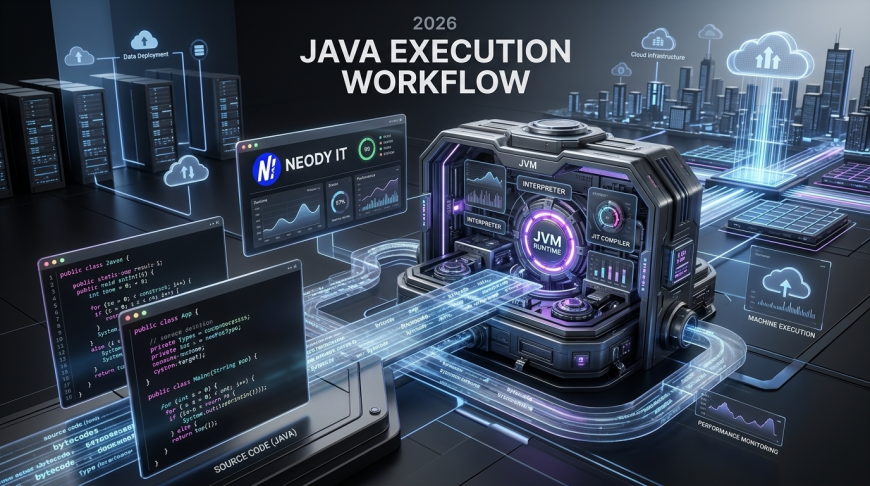
Here is the JVM workflow in simple terms. First, Java source code is compiled into bytecode, which is stored in .class files. Then the JVM loads classes, verifies them, and prepares memory for execution before running the program through interpretation and JIT optimization.
Tools, Technologies, or Requirements
Useful JVM tools include jcmd, jstat, jmap, jstack, Java Mission Control, and GC logging features. Common JVM options such as -Xms, -Xmx, and collector-specific flags help teams control memory behavior and performance.
Best Practices
-
Use GC logs early, not only after problems appear.
-
Match JVM settings to the workload instead of copying random online flags.
-
Track heap usage, class loading, and pause times together.
-
Test in an environment close to production, especially for containerized deployments.
Future Trends and Industry Insights
JVM technology continues to evolve with better garbage collectors, improved startup behavior, and more cloud-friendly performance patterns. Low-latency collectors and modern runtime improvements are especially important for services that need fast response times and stable resource usage.
Companies like Neody IT can adapt by using modern Java observability, performance testing, and deployment practices that fit current backend and cloud demands. In practice, that means choosing the right collector, monitoring runtime health, and designing systems with JVM behavior in mind rather than treating it as a black box.
Frequently Asked Questions (FAQ)
What is the difference between JDK, JRE, and JVM?
The JDK is the development kit used to build Java applications, the JRE is the runtime package used to run them, and the JVM is the engine that executes bytecode. This is one of the most searched Java basics because beginners often mix them up.
A simple rule helps: if you write code, you need the JDK. If you only run Java programs, the JRE concept historically covered that need, while the JVM is always the execution layer underneath.
How does the JVM run Java bytecode?
The JVM loads compiled .class files, verifies them, and then executes bytecode using interpretation and JIT compilation. Hot methods may be optimized at runtime for better performance.
This is one reason Java is portable across operating systems. The bytecode stays the same, while the JVM handles the platform-specific execution details.
What does garbage collection do in the JVM?
Garbage collection removes objects that are no longer referenced so that memory can be reused. This automation reduces manual memory management and helps prevent many classes of memory bugs.
However, GC is not free. It can cause pauses, so the collector choice and heap design matter a lot in real applications.
Which garbage collector should I use?
It depends on your workload. G1 is widely used because it balances throughput and pause time, while ZGC is designed for very low latency use cases. The best choice depends on application size, pause requirements, and JDK version.
For many production services, G1 is a practical starting point. For latency-sensitive systems, low-pause collectors may be worth testing carefully.
What is JVM memory area?
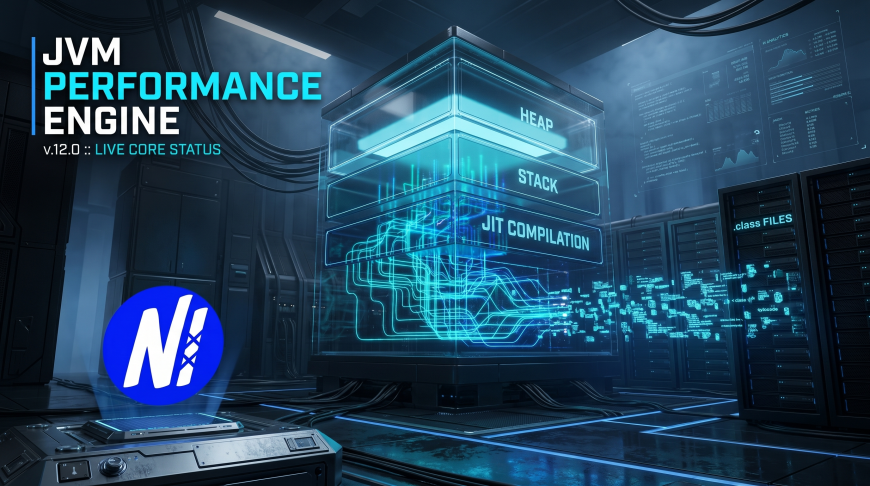
The JVM uses several memory areas such as the heap, stack, and metaspace to store objects, method data, and class metadata. Each area has a different purpose, and problems in one area do not always look like problems in another.
This is why memory analysis often needs more than just “increase the heap.” You need to know where the pressure is actually happening.
Why does my Java app slow down after running for a while?
A common reason is that the JVM has warmed up, garbage collection is happening more often, or the application is retaining too many objects. In other words, performance changes over time because the JVM is continuously adapting to runtime behavior.
That is why monitoring is important in production. A service may look fast during startup but behave very differently after real traffic arrives.
Can JVM internals help with career growth?
Yes. JVM knowledge is valuable for backend developers, performance engineers, SREs, and platform teams because it helps them solve real production issues. It is a practical skill, not just theory.
For developers working with Neody IT or similar tech teams, this knowledge improves debugging confidence and makes architecture discussions much more grounded.
Final Thoughts
The JVM is the heart of Java execution, and understanding how it works internally gives you a real advantage as a developer. Once you understand bytecode, memory areas, JIT compilation, and garbage collection, Java stops feeling like a black box and starts making much more sense.
That understanding becomes even more useful in 2026, when performance, observability, and cloud efficiency matter more than ever. At Neody IT, this kind of practical Java knowledge helps build better systems, diagnose issues faster, and make smarter engineering decisions in real projects.
What's Your Reaction?
 Like
0
Like
0
 Dislike
0
Dislike
0
 Love
0
Love
0
 Funny
0
Funny
0
 Angry
0
Angry
0
 Sad
0
Sad
0
 Wow
0
Wow
0