













10 Free APIs You Should Use in Your Projects as a Beginner
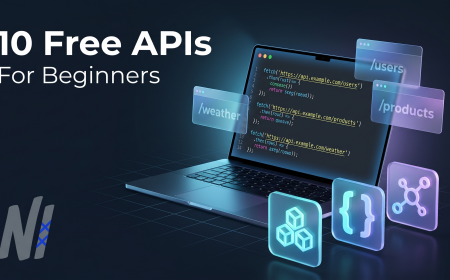
Discover 10 free APIs perfect for beginners. Build impressive projects with real data, no cost. Includes code examples and use cases. Start coding today.
10 Free APIs You Should Use in Your Projects as a Beginner
If you're just starting out in web development or building your first portfolio project, you've probably hit this roadblock: you have the skills to build an app, but no real data to populate it. That's where free APIs come in. In 2026, using public APIs is standard practice for developers at every level, and beginners can leverage them to create impressive, functional projects without needing a backend database. At Neody IT, we've seen countless learners transform their portfolios by integrating these free APIs into their projects - and you can too.
In this guide, I'll walk you through 10 free APIs that are perfect for beginners, complete with real-world use cases, code examples, and tips on how to get started.
Overview of Free APIs for Beginners
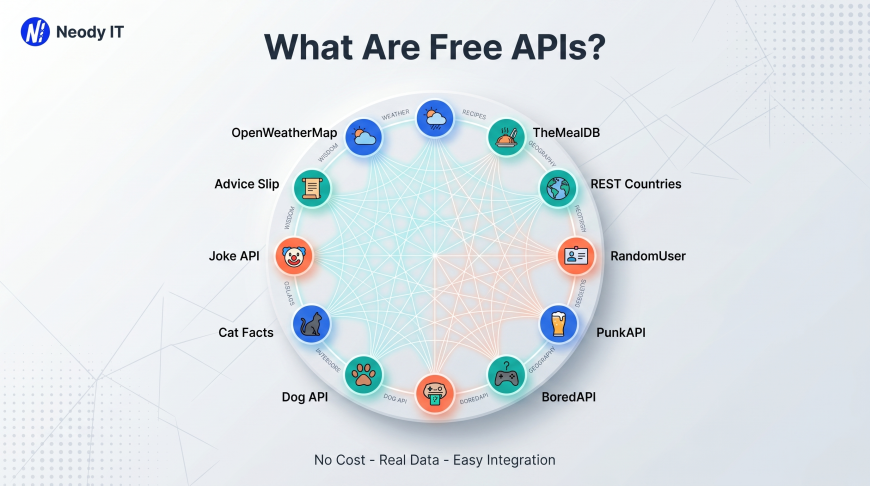
What Are Free APIs and Why Do They Matter?
An API (Application Programming Interface) is a way for different software applications to communicate with each other. Free APIs give developers access to external data or services without charging a fee, making them ideal for learning, prototyping, and building portfolio projects.
Beginners are searching for free APIs because:
-
They need real data to practice building applications
-
They want to add functionality without building everything from scratch
-
Employers expect modern developers to know how to integrate APIs
-
Free APIs let you build impressive projects on a zero budget
The tech industry in 2026 relies heavily on API integration. From weather apps to e-commerce platforms, almost every modern application pulls data from external services. Learning to work with APIs early gives you a significant advantage in your development journey.
Key Features That Make These APIs Beginner-Friendly
The APIs I've selected share these important characteristics:
-
No API key required (or easy free signup)
-
Clear documentation with examples
-
JSON response format (the industry standard)
-
Generous free tiers for development
-
Stable uptime so your projects don't break
-
Wide use cases applicable to multiple project types
Real-World Example
Imagine you're building a weather dashboard for your portfolio. Instead of collecting weather data yourself (impossible for a beginner), you can use the OpenWeatherMap API to fetch real-time weather data for any city. Your app becomes functional, impressive, and usable - all because you integrated a free API.
Benefits and Advantages of Using Free APIs
Main Benefits for Beginner Developers
Productivity Gains
Using free APIs can reduce development time by 50-70% for feature-rich applications. Instead of building a database of recipes, you can use TheMealDB. Instead of creating mock user data, you can use Random User API. This lets you focus on what matters most: learning core development concepts like fetching data, handling responses, and building user interfaces.
Example Use Cases
Challenges or Limitations to Be Aware Of :
Common Problems Beginners Face
While free APIs are incredibly helpful, they come with some limitations:
-
Rate limits: Most free APIs limit how many requests you can make per day
-
API key requirements: Some require signup, which can be intimidating at first
-
Documentation quality: Not all APIs have equally clear guides
-
Data consistency: Free tiers may have less reliable uptime
-
Feature restrictions: Advanced features often require paid plans
Risks and Misconceptions
A common misconception is that "free means unlimited." In reality, most free APIs have usage caps. Another myth is that you need complex authentication for every API - many of the ones I've selected work without any key at all.
Common Mistakes to Avoid
-
Not reading documentation: Jumping straight into code without understanding endpoints
-
Hardcoding API keys: Accidentally exposing keys in public repositories
-
Ignoring error handling: Not accounting for failed API calls
-
Making too many requests: Hitting rate limits by refreshing too frequently
-
Using unreliable APIs: Picking APIs with poor uptime for important projects
Step-by-Step Explanation: How to Use These APIs
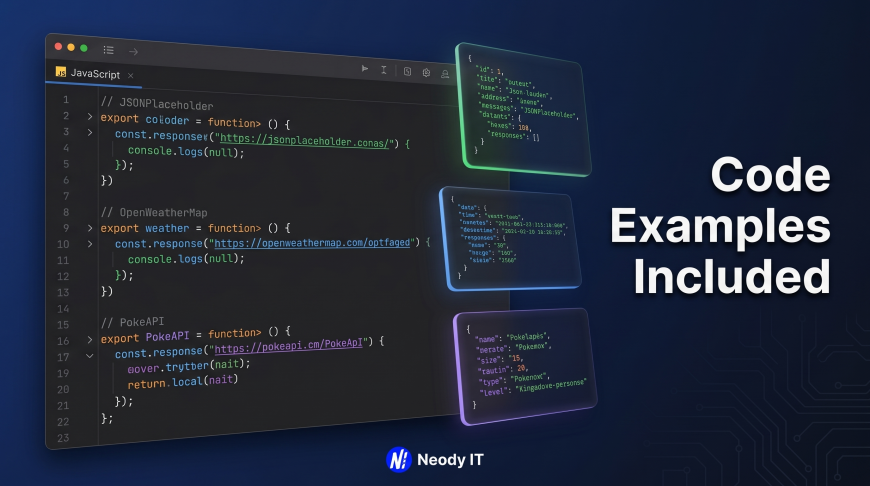
Basic Workflow for API Integration
Here's how you typically integrate a free API into your project:
-
Choose your API based on your project needs
-
Read the documentation to understand available endpoints
-
Get an API key (if required) from the provider's website
-
Make a request using
fetch()in JavaScript orrequestsin Python -
Parse the JSON response to extract the data you need
-
Display or use the data in your application
-
Add error handling to manage failed requests gracefully
Tools and Technologies You'll Need
-
Frontend: HTML, CSS, JavaScript (vanilla or with frameworks like React)
-
Backend (optional): Node.js, Python (Flask/FastAPI), or PHP
-
Testing tools: Postman or browser DevTools Console
-
Code editor: VS Code or any preferred editor
-
Browser: Chrome or Firefox with DevTools enabled
At Neody IT, we teach students to start with vanilla JavaScript and fetch() before moving to frameworks, as it builds stronger fundamentals.
Best Practices for API Integration
-
Always check if an API key is required before starting
-
Store API keys in environment variables, not in code
-
Add loading states while fetching data
-
Implement error handling for network failures
-
Cache responses when appropriate to reduce API calls
-
Read the terms of service for usage restrictions
The 10 Free APIs You Should Use
Here are the 10 free APIs I recommend for beginners, with code examples for each:
1. JSONPlaceholder
Best for: Testing CRUD operations, mock data for posts/users/comments
URL: https://jsonplaceholder.typicode.com/
No API key required
Javascript Code Sample :
// Fetch posts
fetch('https://jsonplaceholder.typicode.com/posts')
  .then(response => response.json())
  .then(data => console.log(data));
2. DummyJSON
Best for: E-commerce projects, users, carts, products
No API key required
// Fetch products
fetch('https://dummyjson.com/products')
  .then(res => res.json())
  .then(data => console.log(data.products));
3. OpenWeatherMap
Best for: Weather applications, geo-based features
URL: https://openweathermap.org/api
API key required (free signup)
// Fetch weather for London
fetch('https://api.openweathermap.org/data/2.5/weather?q=London&appid=YOUR_API_KEY')
  .then(res => res.json())
  .then(data => console.log(data.main.temp));
4. REST Countries API
Best for: Country explorers, flag displays, population data
URL: https://restcountries.com/
No API key required
// Fetch all countries
fetch('https://restcountries.com/v3.1/all')
  .then(res => res.json())
  .then(data => console.log(data[0].name.common));
5. TheMealDB
Best for: Recipe apps, food search, meal categories
URL: https://www.themealdb.com/api.php
Free tier with API key (optional for basic use)
// Search for chicken recipe
fetch('https://www.themealdb.com/api/json/v1/1/search.php?s=chicken')
  .then(res => res.json())
  .then(data => console.log(data.meals[0].strMeal));
6. TheCatAPI
Best for: Image galleries, fun mini-apps
API key required (free)
// Fetch random cat image
fetch('https://api.thecatapi.com/v1/images/search', {
  headers: { 'x-api-key': 'YOUR_API_KEY' }
})
  .then(res => res.json())
  .then(data => console.log(data[0].url));
7. TheDogAPI
Best for: Dog image apps, beginner-friendly projects
API key required (free)
// Fetch random dog image
fetch('https://api.thedogapi.com/v1/images/search', {
  headers: { 'x-api-key': 'YOUR_API_KEY' }
})
  .then(res => res.json())
  .then(data => console.log(data[0].url));
8. PokeAPI
Best for: Pokémon games, card apps, search UIs
URL: https://pokeapi.co/
No API key required
// Fetch Pikachu data
fetch('https://pokeapi.co/api/v2/pokemon/pikachu')
  .then(res => res.json())
  .then(data => console.log(data.name, data.stats));
9. TheCocktailDB
Best for: Drink apps, cocktail search, ingredient filters
URL: https://www.thecocktaildb.com/api.php
Free tier
// Search for margarita
fetch('https://www.thecocktaildb.com/api/json/v1/1/search.php?s=margarita')
  .then(res => res.json())
  .then(data => console.log(data.drinks[0].strDrink));
10. Random User API
Best for: User profiles, testing, contact lists
No API key required
// Fetch random user
fetch('https://randomuser.me/api/')
  .then(res => res.json())
  .then(data => console.log(data.results[0].name));
Future Trends and Industry Insights
Where API Integration is Heading in 2026
The API economy continues to grow rapidly. In 2026, we're seeing:
-
AI-powered APIs becoming more accessible for beginners
-
GraphQL gaining popularity alongside REST
-
Serverless architectures making API integration simpler
-
Real-time APIs for live data updates
-
Low-code/no-code platforms integrating API connectors
Companies like Neody IT are adapting by teaching students both traditional REST APIs and emerging technologies like GraphQL and serverless functions. The demand for developers who can integrate multiple APIs into cohesive applications is at an all-time high.
Career Opportunities
Mastering API integration opens doors to:
-
Frontend development roles
-
Full-stack positions
-
API integration specialist roles
-
Freelance development opportunities
-
Startup founding (build MVPs faster)
Frequently Asked Questions (FAQ)
What is the easiest free API for beginners?
JSONPlaceholder and Random User API are the easiest because they require no API key and have straightforward documentation. You can start making requests immediately without any signup process.
Do I need an API key for all free APIs?
No. Many free APIs like JSONPlaceholder, DummyJSON, REST Countries, PokeAPI, and Random User API work without any API key. Others like OpenWeatherMap require free signup but provide keys at no cost.
Are these APIs really free forever?
Most of the APIs listed have free tiers that are generous enough for learning and portfolio projects. However, they may have rate limits or require payment for high-volume commercial use. Always check the terms of service before building production applications.
How do I handle API errors in my code?
Always add .catch() in your fetch promises or use try-catch with async/await. Check for HTTP status codes and display user-friendly error messages when requests fail. This is a critical skill that employers look for.
Can I use these APIs in commercial projects?
It depends on each API's license. Some allow commercial use on free tiers, while others require paid plans. Check the terms of service for each API before using them in client work or commercial applications.
What's the difference between REST and GraphQL APIs?
REST APIs return fixed data structures from specific endpoints, while GraphQL allows you to request exactly the data you need. Most beginner APIs use REST because it's simpler to understand and implement.
How many API requests can I make on the free tier?
This varies by API. JSONPlaceholder allows unlimited requests for testing. OpenWeatherMap allows 1,000 calls per day on the free tier. Always check documentation for specific limits.
Should I learn APIs before learning a framework like React?
Yes. Understanding how to fetch data with vanilla JavaScript's fetch() API builds a strong foundation. Once you master this, using APIs in React with useEffect becomes much easier. At Neody IT, we follow this exact learning path.
Final Thoughts
Learning to work with free APIs is one of the fastest ways to level up as a developer. These 10 APIs - JSONPlaceholder, DummyJSON, OpenWeatherMap, REST Countries, TheMealDB, TheCatAPI, TheDogAPI, PokeAPI, TheCocktailDB, and Random User API - give you everything you need to build impressive, functional projects without spending a dime.
Key Takeaways
-
Free APIs let you build real projects faster and with zero cost
-
Start with APIs that don't require keys to build confidence
-
Always read documentation and add error handling
-
These skills are essential for modern web development careers
-
Portfolio projects with API integration stand out to employers
The tech industry in 2026 expects developers to know API integration inside and out. Whether you're building a weather dashboard, recipe finder, or e-commerce mockup, these free APIs will help you create something meaningful.
Ready to Take Your Skills Further?
If you found this guide helpful, follow Neody IT for more tech insights on AI, web development, and API integration. Whether you're looking to build your first portfolio project or deepen your development skills, Neody IT is here to support your journey. Explore more blogs on Neody IT to keep learning, or contact Neody IT for development solutions if you need professional guidance on your next project.
Start building today with these free APIs, and you'll be surprised how quickly you can create something impressive.
What's Your Reaction?
 Like
0
Like
0
 Dislike
0
Dislike
0
 Love
0
Love
0
 Funny
0
Funny
0
 Angry
0
Angry
0
 Sad
0
Sad
0
 Wow
0
Wow
0