














Python Loops Tutorial with Examples
Learn Python loops, for loops, while loops, break, continue, and range() with examples in this beginner-friendly 2026 guide.
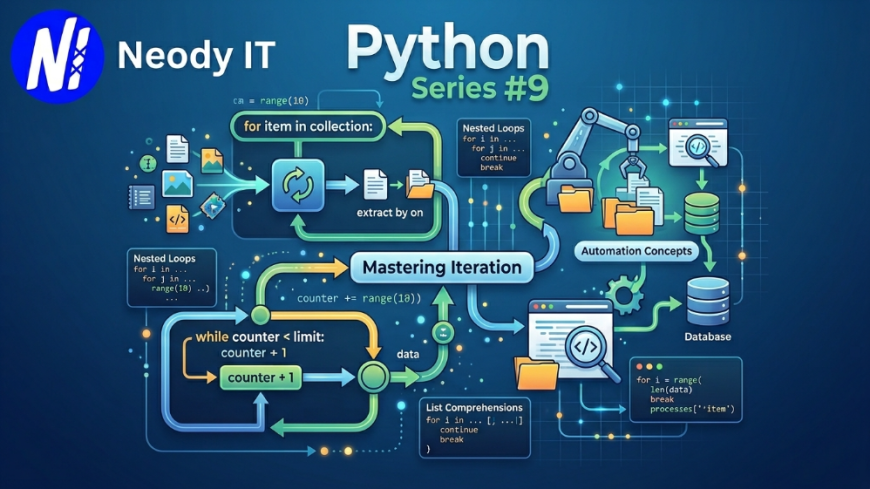
Python Loops Explained with Examples (2026 Guide)
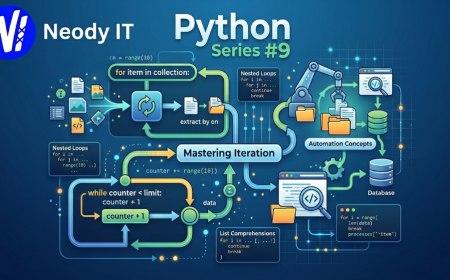
Python Series #9
Loops are one of the most important concepts in Python programming. They allow developers to execute code repeatedly without writing the same logic again and again.
From AI systems and automation scripts to backend APIs and data processing pipelines, loops are used everywhere in modern software development.
In this beginner-friendly tutorial by Neody IT, you will learn Python Loops with syntax, examples, loop control statements, real-world use cases, performance tips, and best practices.
Introduction
Imagine building:
-
A chatbot replying to thousands of users
Also Read → Python Conditional Expressions Tutorial -
A weather app processing live data
-
A social media platform showing posts
-
A machine learning system analyzing datasets
-
An automation bot sending emails
-
A backend API handling multiple requests
Without loops, developers would need to write repetitive code manually.
That would be:
-
Slow
-
Difficult to maintain
-
Error-prone
Loops solve this problem by automating repetitive tasks efficiently.
At Neody IT, Python loops are heavily used in:
-
AI integrations
-
Automation systems
-
Backend processing
-
Data pipelines
-
Dashboard analytics
-
API workflows
If you want to become a strong Python developer in 2026, mastering loops is essential.
What are Loops in Python?
Loops are used to execute a block of code multiple times.
Python mainly supports:
-
for loop
-
while loop
Loops make programs:
-
Faster
-
Cleaner
-
More scalable
-
Easier to maintain
Why Loops Matter
Loops are used in:
-
AI systems
-
Automation
-
Data Science
-
Web Development
-
Cloud applications
-
Game development
-
Cybersecurity tools
Without loops, modern software development would be extremely inefficient.
Prerequisites
Before starting this tutorial, you should know:
Tools Required
-
Python 3.12+
-
VS Code or PyCharm
-
Terminal or Command Prompt
Setting Up the Environment
Create a Python file:
loops_in_python.py
Run the file:
python loops_in_python.py
Python for Loop
The for loop is used to iterate over sequences like:
-
Lists
-
Tuples
-
Strings
-
Dictionaries
-
Sets
Basic for Loop Example
fruits = ["Apple", "Banana", "Mango"]

for fruit in fruits:
    print(fruit)
Output
Apple
Banana
Mango
How the for Loop Works
Python takes each item one by one from the list and stores it inside the variable fruit.
Then the loop executes repeatedly until all items are processed.
Looping Through Strings
word = "Python"

for letter in word:
    print(letter)
Output
P
y
t
h
o
n
Using range() in Python
The range() function generates numbers.
Example 1
for number in range(5):
    print(number)
Output
0
1
2
3
4
Example 2: Start and End Values
for number in range(1, 6):
    print(number)
Output
1
2
3
4
5
Example 3: Step Value
for number in range(0, 10, 2):
    print(number)
Output
0
2
4
6
8
Python while Loop
The while loop executes as long as a condition remains True.
Basic while Loop Example
count = 1

while count <= 5:
    print(count)
    count += 1
Output
1
2
3
4
5
Infinite Loop Warning
Wrong Example:
count = 1

while count <= 5:
    print(count)
This creates an infinite loop because the value of count never changes.
Loop Control Statements
Python provides:
-
break
-
continue
-
pass
break Statement
Stops the loop immediately.
for number in range(10):
    if number == 5:
        break

    print(number)
Output
0
1
2
3
4
continue Statement
Skips the current iteration.
for number in range(5):
    if number == 2:
        continue

    print(number)
Output
0
1
3
4
pass Statement
Acts as a placeholder.
for number in range(5):
    pass
Useful while planning code structure.
Nested Loops
A loop inside another loop is called a nested loop.
for i in range(3):
    for j in range(2):
        print(i, j)
Output
0 0
0 1
1 0
1 1
2 0
2 1
Looping Through Dictionaries
student = {
    "name": "Aman",
    "marks": 90
}

for key, value in student.items():
    print(key, value)
Real World Use Cases
Processing User Data
users = ["Aman", "Priya", "Rahul"]

for user in users:
    print(f"Welcome {user}")
AI and Machine Learning
Loops are heavily used in:
-
Training models
-
Data preprocessing
-
Feature extraction
-
Neural networks
Automation Scripts
emails = ["a@gmail.com", "b@gmail.com"]

for email in emails:
    print(f"Sending email to {email}")
Backend Development
Loops are used in:
-
API data processing
-
Database operations
-
Request handling
-
Authentication systems
At Neody IT, loops are commonly used in:
-
Workflow automation
-
Dashboard analytics
-
AI integrations
-
Backend processing systems
Common Errors and Fixes
Infinite Loops
Wrong:
while True:
    print("Running")
This never stops.
Fix
Always use proper exit conditions.
Modifying List During Loop
Wrong:
numbers = [1, 2, 3]

for num in numbers:
    numbers.remove(num)
This can produce unexpected results.
Incorrect Indentation
Python loops depend on indentation.
Wrong indentation causes errors.
Best Practices
Use for Loops for Sequences
Best for:
-
Lists
-
Strings
-
Dictionaries
-
Collections
Use while Loops Carefully
Only use when condition-based repetition is needed.
Avoid Deeply Nested Loops
Too many nested loops reduce readability and performance.
Use Meaningful Variable Names
Bad:
for x in users:
Better:
for user in users:
Advanced Tips
List Comprehension
Cleaner alternative for simple loops.
squares = [x*x for x in range(5)]

print(squares)
Output
[0, 1, 4, 9, 16]
enumerate() Function
Useful when index is needed.
fruits = ["Apple", "Banana"]

for index, fruit in enumerate(fruits):
    print(index, fruit)
zip() Function
Loop through multiple lists together.
names = ["Aman", "Priya"]
scores = [90, 95]

for name, score in zip(names, scores):
    print(name, score)
Future Scope and Industry Trends
Loops remain one of the most essential concepts in:
-
AI Engineering
-
Backend Development
-
Automation
-
Data Science
-
Cloud Computing
-
Robotics
Modern AI systems process massive datasets using loops internally.
At Neody IT, loops are heavily used in:
-
AI workflow automation
-
Data analytics
-
API processing
-
Enterprise dashboards
-
Backend optimization systems
Developers who master loops write:
-
Faster programs
-
Cleaner code
-
More scalable systems
Frequently Asked Questions (FAQ)
What is a loop in Python?
A loop repeatedly executes a block of code.
What are the types of loops in Python?
Python mainly supports:
-
for loop
-
while loop
What is the difference between for and while loop?
for loops are used for sequences while while loops depend on conditions.
What is an infinite loop?
A loop that never stops executing.
What does break do in Python?
The break statement immediately stops a loop.
What does continue do?
The continue statement skips the current iteration.
Where are loops used in real projects?
Loops are used in:
-
AI systems
-
APIs
-
Automation
-
Data processing
-
Backend systems
-
Analytics platforms
Final Thoughts
Loops are one of the core foundations of programming.
In this tutorial, you learned:
-
for loops
-
while loops
-
range()
-
break and continue
-
nested loops
-
real-world examples
-
advanced looping techniques
-
best practices
Mastering loops helps you build:
-
Automation systems
-
AI applications
-
Backend APIs
-
Data processing pipelines
-
Scalable software systems
If you want to become a professional Python developer in 2026, understanding loops properly is essential.
CTA
Explore more Python tutorials, backend development guides, and AI-focused coding content on Neody IT.
Follow Neody IT for practical coding tutorials and modern software engineering insights.
What's Your Reaction?
 Like
0
Like
0
 Dislike
0
Dislike
0
 Love
0
Love
0
 Funny
0
Funny
0
 Angry
0
Angry
0
 Sad
0
Sad
0
 Wow
0
Wow
0