





















Notion vs Evernote 2026: Best Productivity App?
Notion vs Evernote 2026 comparison by Neody IT. Explore features, pricing, pros, cons, collaboration tools, and find the best productivity app for students, creators, and businesses.
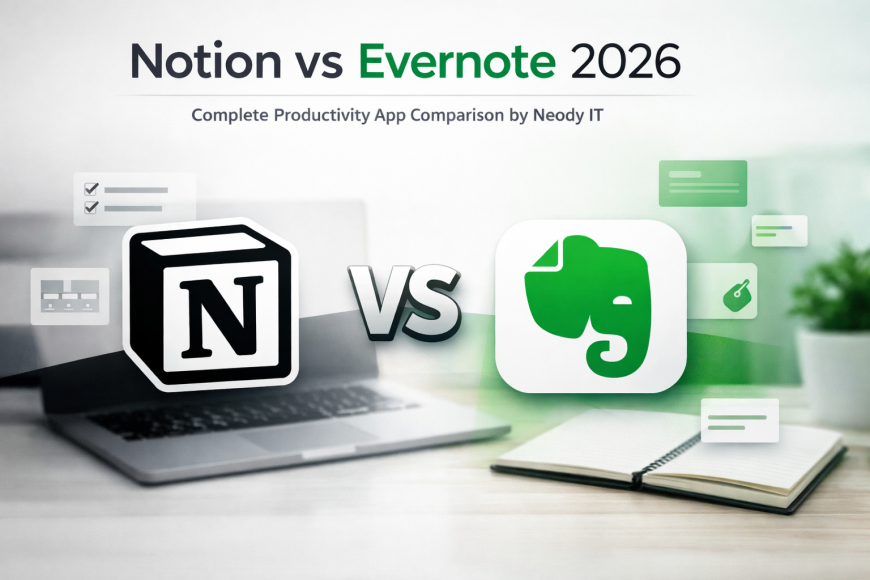
Notion vs Evernote: Which Productivity App Is Better in 2026?
When someone searches “Notion vs Evernote,” they are usually standing at a decision point. They are about to organize their life, manage their projects, or streamline their team workflow and they want to choose the right productivity app before committing their time and data.
At Neody IT, we have seen this question come up repeatedly from students, startup founders, content creators, and corporate teams. Both tools are powerful. Both rank among the best note taking apps in the world. But they are built with different philosophies.
In this in depth comparison, we will break down features, pricing, usability, performance, and real world use cases so you can confidently decide which tool fits your needs.
Why People Search “Notion vs Evernote”
Before installing a productivity app, most users want clarity on:
-
Which app is better for note taking
-
Which tool works best for students or businesses
Also Read → CapCut vs Premiere Pro: Best Video Editor 2026? -
Which offers better value for money
-
Which is easier to use long term
This comparison is ideal for:
-
Students managing study notes and assignments
-
Content creators organizing ideas and research
-
Freelancers tracking tasks and clients
-
Startups and businesses managing projects and collaboration
Quick summary: both Notion and Evernote are excellent productivity tools. However, Notion focuses on being an all in one workspace, while Evernote specializes in powerful and structured note taking.
Overview of the Tools
What Is Notion?
Notion is an all in one workspace that combines note taking, databases, task management, wikis, and collaboration tools in a single platform.
Key highlights:
-
Combines notes, databases, and project management
-
Highly customizable layouts
-
Drag and drop page builder
-
Popular among startups, remote teams, and creators
Imagine you are building a content calendar. In Notion, you can create a database with status columns, due dates, tags, and assigned team members. You are not just writing notes. You are building a system.
That flexibility is what makes Notion powerful.
What Is Evernote?
Evernote is one of the most established note taking apps in the world. It is built primarily for capturing, organizing, and searching information efficiently.
Core strengths:
-
Dedicated note taking experience
-
Industry leading web clipper
-
Strong search with OCR
-
Simple and focused interface
If you attend meetings daily and need to quickly capture notes, attach PDFs, and search through years of documents, Evernote is designed exactly for that purpose.
Core Features Comparison
Note Taking Features
Both platforms offer rich text editing, formatting options, and structured note organization. But they approach it differently.
Notion Note Taking
-
Rich text formatting
-
Markdown support
-
Embeds like videos, tables, code blocks
-
Inline databases
-
Custom page layouts
Notion feels like building with digital Lego blocks. You can design pages however you want.
Evernote Note Taking
-
Clean editor interface
-
Tag based organization
-
Strong formatting tools
-
Fast note capture
-
OCR support for images and scanned documents
Evernote shines in quick capture and structured note storage.
If your goal is simple and efficient note taking, Evernote feels faster. If you want to build interconnected systems, Notion wins.
Organization System
Notion
-
Pages and subpages
-
Databases with filters and views
-
Linked content
-
Custom dashboards
You can create a homepage dashboard that shows tasks, upcoming deadlines, and notes in one view.
Evernote
-
Notebooks
-
Stacks
-
Tags
-
Simple hierarchical structure
Evernote keeps organization intuitive. You create notebooks for categories like Work, Personal, or Study and tag notes for easy retrieval.
For users who love flexibility and visual dashboards, Notion is ideal. For users who prefer clarity and minimal structure, Evernote works beautifully.
Search Functionality and OCR
Search is where Evernote has historically dominated.
Evernote Search Strength
-
OCR for scanned documents
-
Search inside PDFs
-
Fast and accurate results
-
Image text recognition
For example, if you scan a handwritten receipt, Evernote can detect and search the text inside it.
Notion Search
-
Quick page search
-
Filter by database properties
-
Works well inside structured systems
Notion search is efficient within its ecosystem, but Evernote still feels stronger for heavy document search needs.
Web Clipping Comparison
Evernote’s Web Clipper is considered one of the best in the industry. You can:
-
Save entire articles
-
Clip simplified versions
-
Save bookmarks
-
Tag instantly
Notion also offers a web clipper, but it focuses more on saving links or structured content into databases.
If you are a researcher, blogger, or student collecting online resources daily, Evernote’s web clipper gives you a smoother experience.
At Neody IT, we often recommend Evernote for heavy research based workflows.
Ease of Use
Beginner Friendliness
Evernote has a shorter learning curve. You install it, create notebooks, and start writing.
Notion can feel overwhelming at first because:
-
You start with a blank page
-
You need to design your own system
-
Templates require setup
However, once configured properly, Notion becomes incredibly powerful.
Customization and Flexibility
Notion dominates here.
-
Pre built templates
-
Drag and drop blocks
-
Workflow customization
-
Custom dashboards
Evernote keeps things structured and limited, which actually helps users who prefer simplicity.
If you want control, choose Notion. If you want ease, choose Evernote.
Collaboration and Team Features
Modern productivity apps must support teams.
Notion for Teams
-
Real time collaboration
-
Comments and mentions
-
Permission controls
-
Shared workspaces
Many startups use Notion as their internal wiki, project manager, and documentation hub.
Evernote for Teams
-
Shared notebooks
-
Task assignments
-
Basic collaboration tools
Evernote works well for small teams who primarily need shared notes rather than complex project management.
For businesses and growing teams, Notion often offers more scalability.
Pricing Comparison
Pricing often determines final decisions.
Free Plan Comparison
Notion free plan:
-
Generous personal usage
-
Basic collaboration
-
Limited advanced team features
Evernote free plan:
-
Device limitations
-
Limited uploads
-
Restricted monthly usage
Students often find Notion’s free plan more flexible.
Paid Plans
Notion paid plans offer:
-
Advanced permissions
-
Larger file uploads
-
Team collaboration tools
Evernote paid plans offer:
-
Increased storage
-
Better offline access
-
More devices
From a value for money perspective, Notion often provides broader functionality per dollar, especially for teams.
At Neody IT, we suggest analyzing your workflow before upgrading to a paid plan.
Performance and Sync
Speed
Evernote is generally faster for opening and searching notes.
Notion can slow down if databases become very large.
Offline Mode
Evernote has stronger offline support.
Notion supports offline access, but performance may vary depending on content structure.
Cross Device Sync
Both apps support:
-
Windows
-
macOS
-
iOS
-
Android
-
Web access
Mobile experience feels smoother in Evernote for quick capture, while Notion is better for reviewing structured dashboards.
Pros and Cons
Notion Pros
-
Highly customizable
-
Excellent for project management
-
Great for startups and creators
-
Combines multiple tools in one
Notion Cons
-
Learning curve
-
Can feel overwhelming
-
Requires setup time
Evernote Pros
-
Excellent search functionality
-
Reliable OCR
-
Simple interface
-
Quick note capture
Evernote Cons
-
Limited customization
-
Higher pricing for advanced features
-
Less flexible for complex workflows
Use Case Based Recommendations
Best for Students
Notion works well for students who want to manage assignments, create subject dashboards, and track deadlines.
Evernote is ideal for students who want quick lecture notes and powerful search across semesters.
Best for Content Creators
Notion is better for managing content calendars, idea databases, and production pipelines.
Evernote is great for collecting research and references.
Best for Businesses
Notion is suitable for teams needing collaboration, documentation, and workflow systems.
Evernote works better for companies focused mainly on note storage and knowledge archives.
Best for Simple Note Taking
Evernote wins for simplicity and focus.
Final Verdict: Notion vs Evernote
Both tools are leaders in the productivity software space, but they serve slightly different purposes.
Choose Notion if:
-
You want an all in one workspace
-
You manage projects and databases
-
You work in a team environment
-
You enjoy customization
Choose Evernote if:
-
You prioritize fast note capture
-
You rely heavily on search and OCR
-
You prefer a simple interface
-
You want a focused note taking experience
At Neody IT, our recommendation is simple. Define your workflow first. Test both free versions. See which one fits naturally into your daily routine.
Productivity is not about choosing the most powerful tool. It is about choosing the right tool for your system.
If you found this detailed comparison helpful, explore more expert software reviews and tech comparisons on Neody IT and stay updated with the latest productivity tools shaping the digital workspace.
What's Your Reaction?
 Like
1
Like
1
 Dislike
1
Dislike
1
 Love
0
Love
0
 Funny
0
Funny
0
 Angry
0
Angry
0
 Sad
0
Sad
0
 Wow
1
Wow
1