









Python Modules, Comments and Pip Explained for Beginners
Learn Python modules, pip, and comments in this beginner friendly guide. Understand how to run Python programs, install packages, and use Python REPL with Neody IT.
Modules, Comments and Pip in Python: A Beginner Guide
Python Learning Series #2 by Neody IT
Learning programming becomes exciting when you finally start writing and running real code. In the previous article of the Neody IT Python series, we explored what programming is, why Python is popular, and how beginners can install Python on their systems. That article focused on removing the fear around programming and helping readers understand the fundamentals.
Now it is time to move forward and actually work with Python programs.
In this second article, we will go deeper into practical Python concepts that every beginner must understand. You will learn how to run a Python file, understand what modules are, install libraries using pip, write comments in Python, and even use Python as a simple calculator.
These may sound like small concepts, but they are foundational skills used by professional developers every day. Whether you want to become a software developer, data analyst, AI engineer, or automation specialist, understanding these basics will help you build a strong programming foundation.
At Neody IT, our goal is to guide beginners step by step so they can gradually move from simple scripts to real world Python applications.
Writing Your First Python File
When writing Python programs, the code is usually stored in files that have the .py extension. These files are called Python scripts.
A Python script contains instructions that Python will execute when the file is run.
To create your first Python script, follow these steps.
First, open any code editor such as VS Code, Notepad, or even a simple text editor.
Create a new file and name it:
hello.py
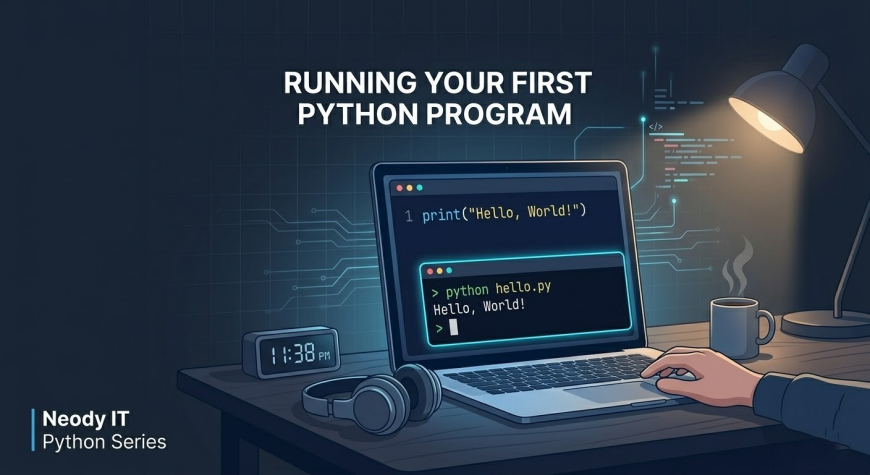
Inside the file, write the following code:
print("Hello World")
This is one of the most famous programs in programming history. Almost every developer writes a Hello World program when learning a new language.
The print() function is a built in Python function that displays text or data on the screen.
Although this program is simple, it represents the first step toward building software applications.
Running a Python Program
After writing your Python script, the next step is executing it.
To run a Python file, open your terminal or command prompt and navigate to the folder where your script is saved.
Then type the following command:
python hello.py
When you press enter, Python will read the instructions inside the file and execute them.
The output will appear like this:
Hello World
What happens internally is quite interesting.
Python reads the file line by line, interprets the instructions, and performs the requested action. In this case, the action is printing text to the screen.
Running Python scripts like this is how developers build and test software programs.
At Neody IT, we often recommend beginners practice by writing small scripts daily because it helps build confidence and programming logic.
What Are Python Modules
As you start building more complex programs, you will quickly realize that writing everything from scratch is not practical.
This is where modules come into play.
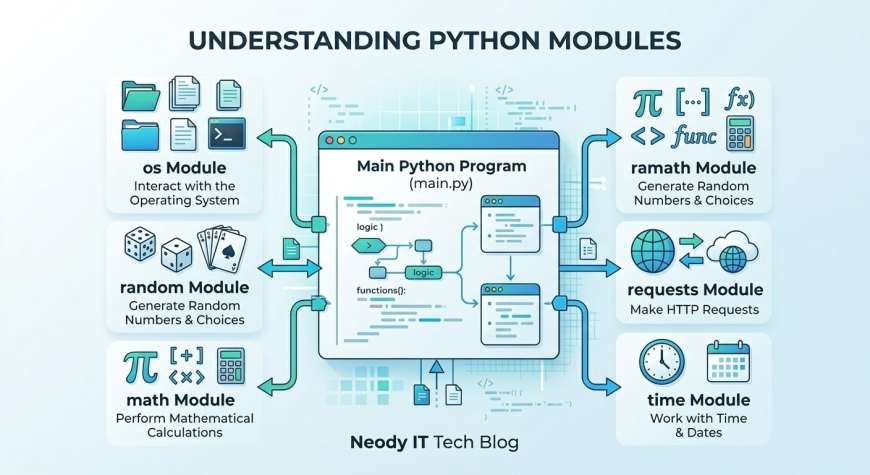
A module in Python is simply a file that contains functions, variables, and reusable code that can be imported into another program.
Instead of writing every piece of functionality yourself, you can use modules created by other developers.
Think of modules like tools in a toolbox.
If you need a screwdriver, you do not build it from scratch every time. You simply pick it from your toolbox and use it.
Similarly, Python modules provide ready made tools that help developers perform tasks efficiently.
For example, if you want to generate random numbers, Python already provides a module for that. If you want to interact with your operating system, there is also a module available.
Modules make programming faster, easier, and more efficient.
Why Modules Are Important in Python
Modules play a major role in modern software development.
Here are some key reasons why modules are important.
First, they save development time. Instead of writing complex code from scratch, developers can simply import an existing module and use it.
Second, modules reduce errors. Since many modules are already tested and used by thousands of developers, they are generally reliable.
Third, modules encourage code reuse. Developers can reuse the same functionality across multiple projects.
Fourth, modules allow collaboration. Large software projects often involve multiple developers working on different modules of the same system.
Python has a huge ecosystem of modules covering areas such as web development, machine learning, automation, cybersecurity, and data analysis.
Because of this rich ecosystem, Python has become one of the most versatile programming languages in the world.
Types of Python Modules
In Python, modules are generally divided into two categories.
Built In Modules
Built in modules come preinstalled with Python. You do not need to install them separately.
These modules are included in the Python standard library and provide useful functionality for common programming tasks.
One common example is the os module.
The os module allows Python programs to interact with the operating system. Developers can use it for tasks such as managing files, accessing directories, and executing system commands.
Another useful built in module is random.
The random module is used to generate random numbers or select random elements from a list. It is commonly used in games, simulations, and testing applications.
Because built in modules are already available in Python, beginners can start using them immediately.
External Modules
External modules are created by developers around the world and are not included with Python by default.
To use these modules, you must install them using a package manager called pip.
External modules extend Python's capabilities and allow developers to build complex systems.
Some well known external modules include:
Flask, which is used for building web applications.
TensorFlow, which is used for machine learning and artificial intelligence.
NumPy, which is used for numerical computing and data analysis.
These external modules are one of the main reasons Python is so powerful and widely used in technology industries.
What is Pip in Python
To manage external modules, Python provides a tool called pip.
Pip stands for Python package installer. It is the package manager used to download and install Python libraries.
Package managers simplify the process of installing software dependencies. Instead of manually downloading files and configuring them, developers can install packages with a single command.
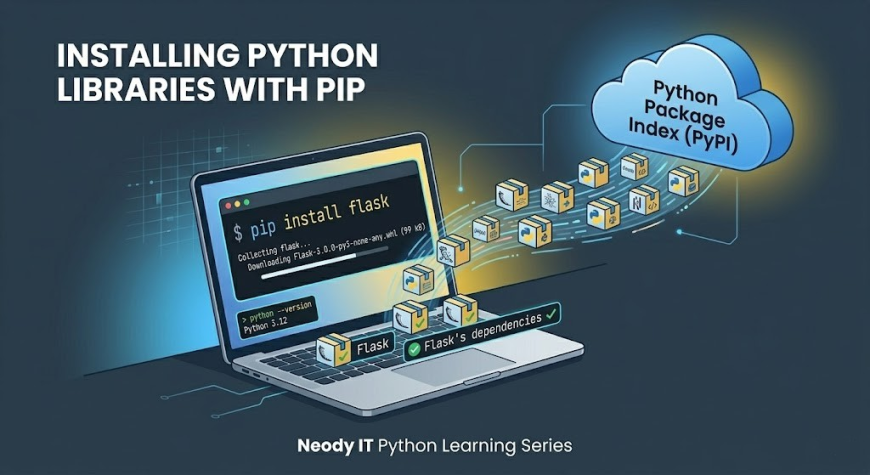
Pip connects to a central repository called the Python Package Index, commonly known as PyPI.
PyPI contains thousands of open source Python libraries that developers can use in their projects.
This ecosystem makes Python extremely powerful and flexible.
Installing Python Modules Using Pip
Installing Python libraries using pip is very simple.
For example, if you want to install Flask, which is a popular Python web framework, you can run the following command:
pip install flask
When this command runs, pip performs several actions.
First, it connects to the Python Package Index and searches for the Flask package.
Then it downloads the package and installs it on your system.
Finally, the package becomes available in your Python environment, allowing you to use it in your programs.
This simple command allows developers to quickly add powerful features to their projects.
At Neody IT, we often demonstrate how installing a few Python libraries can dramatically expand what a beginner can build.
Using Python as a Calculator
Another interesting feature of Python is its interactive mode, often referred to as the REPL.
REPL stands for Read, Evaluate, Print, Loop.
It allows you to run Python commands instantly without creating a script file.
To start the Python interactive environment, simply open your terminal and type:
python
Once the Python prompt appears, you can start typing commands directly.
For example:
2 + 3
Python immediately evaluates the expression and displays the result:
5
This interactive environment is very useful for beginners.
You can test small pieces of code, experiment with programming concepts, or perform quick calculations.
Many developers use REPL during debugging and experimentation.
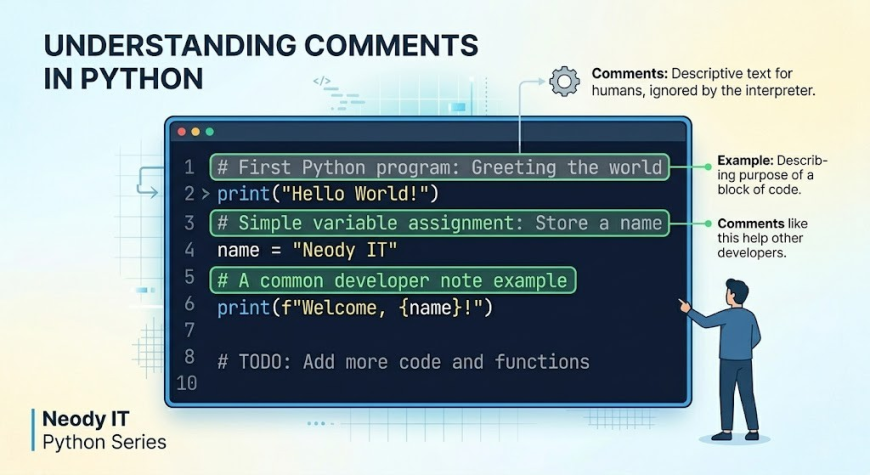
What Are Comments in Python
When programs become larger and more complex, understanding the purpose of each line of code becomes important.
This is where comments come in.
Comments are notes written inside code that Python ignores during execution.
They are used to explain what the code does or why a particular logic is used.
Comments improve code readability and help developers understand programs more easily.
They are also useful for documenting information such as the author name, creation date, or instructions for other developers working on the project.
In professional software development, well written comments make a big difference in maintaining large codebases.
Types of Comments in Python
Python supports two common types of comments.
Single Line Comments
Single line comments are used to explain a single line of code.
They begin with the hash symbol.
Example:
# This is a comment
print("Hello World") # This prints text
Everything after the hash symbol is ignored by Python.
Multiline Comments
Multiline comments are used when you want to describe larger sections of code.
One method is writing multiple single line comments.
Example:
# This program
# prints a greeting
# for the user
Another method uses triple quotes.
"""
This is a multiline comment
used to explain
larger sections of code
"""
These triple quoted strings are often used for documentation strings, also known as docstrings.
Practical Python Example
Let us combine comments and code in a simple Python program.
# First Python program
print("Welcome to Python Programming")
In this example, the comment explains that this is the first program.
The print() function then displays the message on the screen.
When the program runs, the comment is ignored and only the message is printed.
This demonstrates how comments help explain code without affecting program execution.
Best Practices for Python Beginners
As you continue learning Python, following some simple best practices will help you become a better programmer.
Use meaningful comments that explain the purpose of your code.
Organize your programs into modules whenever possible.
Install libraries carefully and understand what they do before using them.
Practice using the Python REPL to experiment with small code snippets.
Write small programs regularly because consistent practice improves programming skills.
At Neody IT, we encourage beginners to focus on understanding concepts rather than memorizing syntax.
Conclusion
In this article of the Neody IT Python learning series, we explored several essential Python concepts.
We learned that Python programs are stored in .py files and executed through the terminal.
We understood what modules are and how they allow developers to reuse existing code.
We also explored pip, the Python package manager that helps install external libraries from the Python Package Index.
We saw how Python can be used as a calculator through its interactive REPL environment.
Finally, we discussed comments and why they are important for writing readable and maintainable code.
These concepts may seem simple, but they form the foundation of professional Python development.
In the next article of the Neody IT Python series, we will explore variables, data types, and basic input and output in Python, which will allow you to build more interactive programs.
If you want to continue learning Python step by step and build real programming skills, stay connected with the Neody IT Tech Blog for more practical tutorials and development guides.
What's Your Reaction?
 Like
1
Like
1
 Dislike
0
Dislike
0
 Love
0
Love
0
 Funny
0
Funny
0
 Angry
0
Angry
0
 Sad
0
Sad
0
 Wow
0
Wow
0